
Choose a photo
Upload a black-and-white photo from your device. A clear scan is a good place to start.
A new view of the past
A familiar face. A place you remember. Give black-and-white photos a fresh perspective with AI colorization. Explore natural tones, a cinematic mood, or a vintage finish, and see old photographs in a different light. Start with a portrait, a family moment, or a favorite memory.
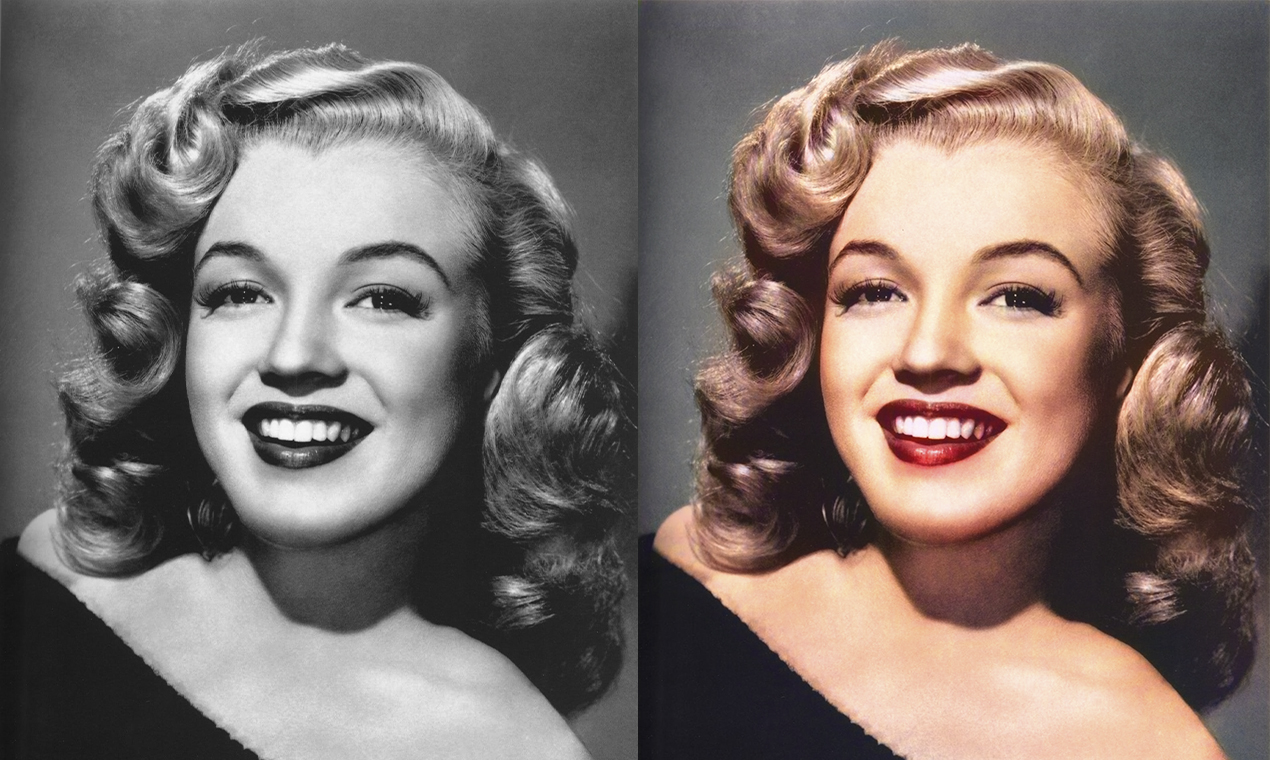




Upload a black-and-white photo from your device. A clear scan is a good place to start.
Choose a style or describe the look you have in mind. Let AI reinterpret the photo in color.
Review the result and download it. Keep the original so you can always return to where you started.
Color can change how a photograph feels. Use it to explore another version of an old portrait, a family photograph, or a moment worth revisiting.
Explore Photo RestorerAI predicts plausible colors; it cannot know the original colors from a black-and-white photograph alone. Treat the result as an interpretation, rather than a historical record.
The current tool offers color styles and a custom description. Try natural, cinematic, vintage, or Polaroid-inspired treatments to find the look you prefer.
Try Photo Restorer first to address scratches or faded details, then colorize the result. Always keep a copy of the original photograph.
Results vary, and the current tool may not work well with more than two people. Check faces and fine details before using the result.
The current upload form accepts JPG, JPEG, PNG, and WebP images.